Online Taxi Booking System for Direct Customer Bookings
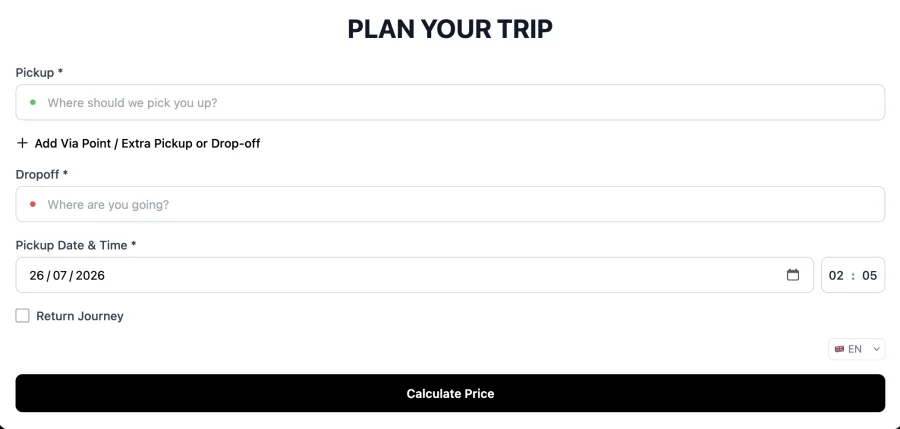
An online taxi booking system lets customers get a price and book a journey on your website instead of phoning the office. CabZen provides both a branded booking page and an embeddable widget, each quoting live from your own rates.
Let customers quote, book, and manage journeys online while your office keeps control of pricing, payments, and dispatch. This page covers what operators should expect from a serious online taxi booking system.
Last reviewed October 6, 2026 by the CabZen product team.
CabZen in numbers
The cost and commitment questions operators ask first, answered before you read any further.
| Starting price | £35 per month |
|---|---|
| Plans | Starter £35 (5 drivers) · Business £70 (20 drivers) |
| Commission per ride | None. Flat monthly fee only |
| Free trial | 14 days, no credit card required |
| Contract | Month to month, cancel anytime |
| Extra drivers | £4 per driver, per month, up to 50 vehicles |
| 50+ vehicles | Quoted individually on dedicated infrastructure |
| Dispatch modes | Manual, auto-dispatch and job auction |
| Driver app | Native iOS and Android, included free |
| Included emails | 1,000 per month |
| Setup | Self-serve, or done-for-you for £30 one-off |
Who this page is for
Operators moving beyond phone-only bookings
Taxi and private hire operators that want customers to book 24/7 without increasing call volume.
Companies with existing website traffic
Businesses that already receive visitors and want those visitors to convert into confirmed journeys.
Teams that need booking-to-dispatch continuity
Operators that want online bookings to flow into dispatch rather than sit in a separate inbox.
Operational coverage
Customer booking flow
Operator controls
Dispatch hand-off
Putting it in place, and what to ask
A realistic order to set things up in, and the questions worth putting to any supplier before you commit.
Implementation playbook
Vendor decision checklist
What it costs
Every feature on both plans. The only difference is how many drivers you need. No commission on any ride, on either plan.
5 drivers included. Extra drivers £4 each per month, up to 50 vehicles.
20 drivers included. Same features, more capacity.
Optional add-ons: extra booking platforms £15/month, branded driver app £350 one-off, CabZen X priced to your fleet. See the full pricing page.
Where do customers actually book?
On a branded booking page at your own address, or through the booking widget embedded in your existing website. Both quote from the same rates and feed the same dispatch board, so it makes no difference operationally which one a customer uses.
Do customers have to create an account?
No. Customers can book as a guest with just the details needed for the journey. They can optionally create an account if they want to see booking history and rebook faster, but nothing forces them through a signup before they can book.
How is the price calculated?
From your own configuration: a base rate, a per-mile or per-kilometre rate, any fixed route that matches, plus surcharges for time of day, day of week or location. The customer sees the final figure before confirming, not an estimate.
Can customers pay online?
Yes. You can connect Stripe, Square or Mollie and take card payment at the point of booking, or take a deposit and the balance in cash. Cash and account jobs can also be recorded without any card payment at all.
What stops people booking at unrealistic times?
You set a minimum notice period, so a customer cannot book a car for five minutes time if you need an hour. You can also set how far ahead bookings are accepted and a cancellation window for free cancellation.
Does the booking page work on mobile?
Yes. The booking flow is designed for phones first, since most customers book on one. Address fields use autocomplete so a full address can be entered with a few taps rather than typed out in full.
What happens the moment a booking is placed?
The job appears on your dispatch board straight away, the customer receives a confirmation with a reference and tracking link, and you receive a notification. From there it can be assigned manually, auto-dispatched, or sent to auction.
Can I take bookings without a card payment provider?
Yes. Cash is enabled by default, so you can go live taking online bookings and collect payment in the car. Card payment can be added later once you are comfortable, without changing anything else about your setup.
Ready to switch or start fresh?
Launch your booking and dispatch workflows with a 14-day free trial.
Start your free trial