Airport Transfer Software for Reliable Pre-Booked Journeys
Airport transfer software manages pre-booked airport journeys, including fixed route pricing, meet-and-greet extras and return legs. CabZen handles airport work alongside standard local jobs in the same account, with route-specific pricing rules.
Handle airport transfer bookings with route pricing flexibility and clear operational workflows. This page covers practical requirements for transfer-led operators.
Last reviewed October 19, 2026 by the CabZen product team.
CabZen in numbers
The cost and commitment questions operators ask first, answered before you read any further.
| Starting price | £35 per month |
|---|---|
| Plans | Starter £35 (5 drivers) · Business £70 (20 drivers) |
| Commission per ride | None. Flat monthly fee only |
| Free trial | 14 days, no credit card required |
| Contract | Month to month, cancel anytime |
| Extra drivers | £4 per driver, per month, up to 50 vehicles |
| 50+ vehicles | Quoted individually on dedicated infrastructure |
| Dispatch modes | Manual, auto-dispatch and job auction |
| Driver app | Native iOS and Android, included free |
| Included emails | 1,000 per month |
| Setup | Self-serve, or done-for-you for £30 one-off |
Who this page is for
Airport transfer specialists
Operators whose revenue is concentrated on pre-booked transfer routes.
Mixed PHV and transfer fleets
Operators balancing standard local work with scheduled airport journeys.
Teams managing seasonal demand
Businesses that need operational control during volume spikes.
Operational coverage
Booking and trip data quality
Pricing precision
Dispatch reliability
Putting it in place, and what to ask
A realistic order to set things up in, and the questions worth putting to any supplier before you commit.
Implementation playbook
Vendor decision checklist
What it costs
Every feature on both plans. The only difference is how many drivers you need. No commission on any ride, on either plan.
5 drivers included. Extra drivers £4 each per month, up to 50 vehicles.
20 drivers included. Same features, more capacity.
Optional add-ons: extra booking platforms £15/month, branded driver app £350 one-off, CabZen X priced to your fleet. See the full pricing page.
Can I set fixed prices for airport runs?
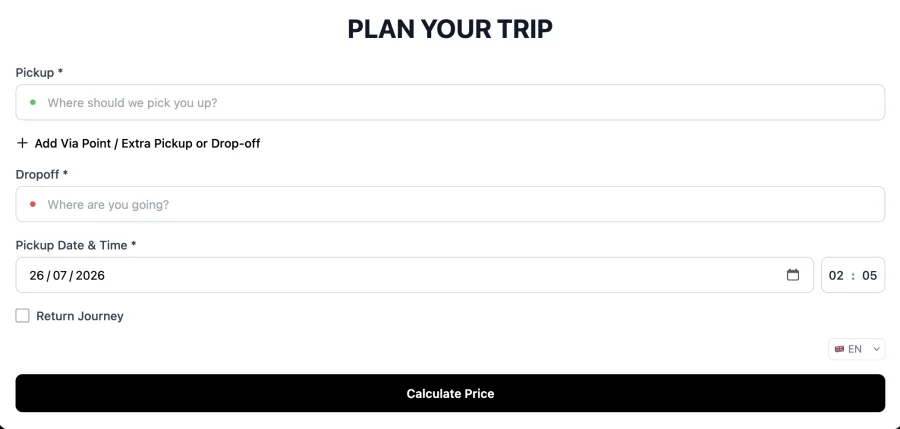
Yes. Fixed route pricing lets you set an exact fare between two points, such as a town centre postcode and a specific terminal, so the customer sees a firm price at the point of booking rather than an estimate that moves.
Does it handle meet and greet?
Yes. Meet and greet can be offered as a paid extra on the booking form, priced however you choose. The request is attached to the job so the driver sees it, and the charge is added to the fare automatically.
Can customers book a return journey at the same time?
Yes. The booking form includes a return journey option, so a customer can book both legs in one go. You can apply a discount to the return leg if you want to encourage round-trip bookings rather than one-way only.
How far ahead can customers book?
You set both the minimum notice period and how far ahead bookings are accepted. Airport work is usually booked well in advance, so most operators allow bookings months ahead while requiring at least an hour of notice for immediate jobs.
Can I add an airport pickup charge?
Yes. Airport surcharges can be configured per airport, covering things like drop-off fees or car park charges, and applied automatically when a journey starts or ends there. The charge appears in the quoted fare rather than surprising the customer later.
Does it deal with luggage and passenger numbers?
Yes. Each vehicle type carries a passenger and luggage capacity, and the booking form only offers vehicles that can take the party. That stops a four-person airport run with cases being booked into a saloon by mistake.
Can I run airport work alongside local jobs?
Yes. Airport transfers and local work share the same dispatch board, drivers and reporting. You can price them differently, run different dispatch modes for each, and still see the whole day in one view.
What do customers get after booking?
A confirmation with the journey details, the fare, a booking reference and a tracking link. The status updates as the job progresses, and you can configure which notifications go out at each stage to suit how much contact your customers expect.
Ready to switch or start fresh?
Launch your booking and dispatch workflows with a 14-day free trial.
Start your free trial