Taxi Fleet Management Software for Day-to-Day Control
Taxi fleet management software gives an operator central control of drivers, vehicles, shifts and compliance documents. CabZen tracks driver availability, vehicle assignment, licence expiry dates and earnings from a single dashboard.
Manage drivers, vehicles, bookings, and performance from a single operational platform. This page is designed for operators evaluating fleet-level control and reporting depth.
Last reviewed October 19, 2026 by the CabZen product team.
CabZen in numbers
The cost and commitment questions operators ask first, answered before you read any further.
| Starting price | £35 per month |
|---|---|
| Plans | Starter £35 (5 drivers) · Business £70 (20 drivers) |
| Commission per ride | None. Flat monthly fee only |
| Free trial | 14 days, no credit card required |
| Contract | Month to month, cancel anytime |
| Extra drivers | £4 per driver, per month, up to 50 vehicles |
| 50+ vehicles | Quoted individually on dedicated infrastructure |
| Dispatch modes | Manual, auto-dispatch and job auction |
| Driver app | Native iOS and Android, included free |
| Included emails | 1,000 per month |
| Setup | Self-serve, or done-for-you for £30 one-off |
Who this page is for
Fleet managers
Operational leads responsible for utilisation, assignment quality, and service levels.
Growing taxi operators
Businesses that need repeatable workflows as fleet size increases.
Multi-brand operators
Teams managing multiple service brands with shared operational resources.
Operational coverage
Resource management
Execution control
Performance intelligence
Putting it in place, and what to ask
A realistic order to set things up in, and the questions worth putting to any supplier before you commit.
Implementation playbook
Vendor decision checklist
What it costs
Every feature on both plans. The only difference is how many drivers you need. No commission on any ride, on either plan.
5 drivers included. Extra drivers £4 each per month, up to 50 vehicles.
20 drivers included. Same features, more capacity.
Optional add-ons: extra booking platforms £15/month, branded driver app £350 one-off, CabZen X priced to your fleet. See the full pricing page.
What can I track against each driver?
Contact details, assigned vehicles, licence numbers and expiry dates, uploaded compliance documents, shift history, completed jobs and earnings. Everything sits on one driver record, so you are not cross-checking a spreadsheet against a folder of scanned paperwork.
Can drivers have more than one vehicle?
Yes. A driver can have several vehicles on their profile, and you choose which one is being used when you assign a booking. The correct registration and vehicle details then appear on the customer confirmation for that job.
How do I know when a licence is about to expire?
Expiry dates are held against each driver and vehicle record so you can see what is approaching renewal rather than finding out after the fact. Drivers can upload replacement documents themselves, which keeps the paperwork moving without office chasing.
Can I see how much each driver has earned?
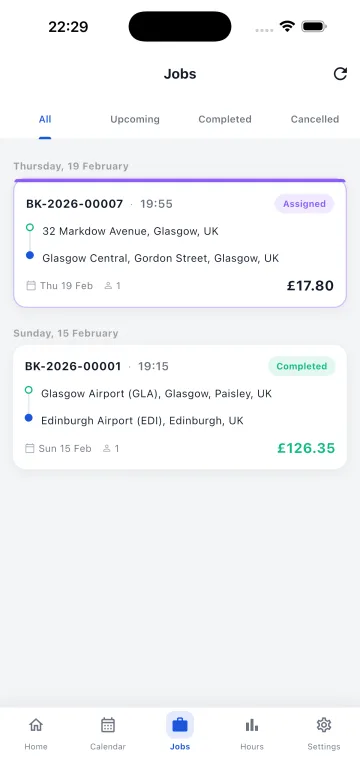
Yes. Earnings are recorded per completed job and totalled by driver over any period, alongside hours worked and jobs completed. Drivers can also see their own figures in the app, which cuts down on payment queries at the end of the week.
Does it handle shifts and availability?
Yes. Drivers start and end shifts in the app, and only drivers on an active shift receive jobs. You can also set availability schedules so the office knows who is expected to be working on a given day.
Can I stop a driver receiving work temporarily?
Yes. A driver can be made inactive without deleting their record, which preserves their history, documents and past earnings. Reactivating them later restores normal job allocation without needing to set the account up again.
How many drivers can I add?
There is no hard limit. Each plan includes a set number of drivers and you can add more at any time for a small monthly amount each, so the cost tracks the size of your fleet rather than forcing an upgrade.
Is there reporting across the whole fleet?
Yes. You can review completed jobs, revenue, hours and driver activity across the fleet or filtered to one driver. That gives you the numbers for payroll, for spotting who is underused, and for seeing which vehicle types earn most.
Ready to switch or start fresh?
Launch your booking and dispatch workflows with a 14-day free trial.
Start your free trial